Geometry with Scratch
| Aim | To work with geometry concepts in an experimental way. During this activity, students discover the different characteristics of the different geometrical shapes. They have to go inside different concepts: number of sides, angle between consecutive sides, complementary angle, etc. |
|---|---|
| Duration: | 3 hours |
| Technology | cameras in a connected to internet device (tablet, mobile), computers, internet, Scratch software or Mindstorsms software. |
| Materials | The ones stated in TECHNOLOGY. If implemented with Mindstorms large cardboards and coloured tape are needed. |
| Student/teacher Ratio | 12:1 |
| Age of students | 11-16 |
Special information
The duration of the activity can vary depending on the group. The reported time-ranges from different teachers that have implemented it go from 3 to 6 hours.
Step by step overview
Children walk around the building and the surroundings and take pictures of the regular geometrical shapes that they see in their day-to-day life (Windows, traffic signals, etc.).
These pictures are sent to a mail account in the class computer. Every team builds a program with Scratch where one of the images previously taken is used as background. In the program a character (sprite) has to draw the contour of the geometrical shape appearing in the Picture.
The step by step path to follow is:
- Before to the start of the workshop be sure to have all the materials, a connection to internet, and that every computer has a mail account to receive the pictures.
- Evaluate where can children walk to take pictures and how many adults are needed to walk with them.
- At the start of the workshop tell students what are they going to do, the different parts of the workshops and if necessary make some reflections and examples about regular shapes, angles (inner and outer), etc.
- Form the teams.
Go to take pictures.
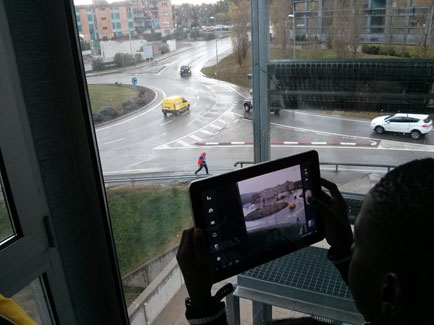
Once in the room again, send the pictures from the tablet to the computers.
- Start programming activity.
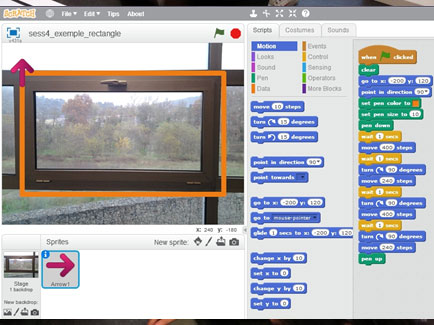
- When the programs are done, visualize them all together (recommended with a projector).
- Talk about the differences between the different shapes appearing in the different programs, the discoveries made, problems arisen, things learned, team work, etc.
Tips to make the workshop go smoothly
It is recommended that when working on the program students work in groups of two (ideally) or three (maximum).
Extensions and challenges
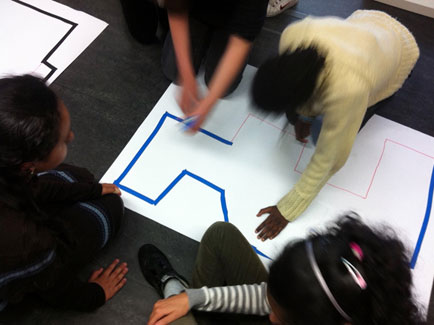
This activity can also be adapted to explore Geometry using Mindstorms robots. The shapes to follow by the robot are drawn and marked with coloured tape in a large cardboard. A more detailed description can be found in the activity "Moving a robot around with LEGO Mindstorms" in this same book.
Sources of additional information
- Scratch Web Site: http://scratch.mit.edu/
- Pedagogical materials (Geometry) by GAMAR Research Centre – Maria Antònia Canals (in catalan):
- http://www.udg.edu/projectesbiblioteca/GAMAR/Materials/Geometria/tabid/17645/language/ca-ES/Default.aspx
- TIC TAC Project description on UdiGitalEdu Research Group website : http://udigital.udg.edu (in catalan)